
Mission readiness starts on the ground
SHOTOVER M2Operator Training Simulator
Build confidence with the camera, the mission system, and the crew—before takeoff.
The M2 Simulator brings SHOTOVER camera operation and AIRSCAPE mission workflows into the office, hangar, or training room. Develop operator proficiency, rehearse tasks, and review mission footage while saving aircraft flight hours.
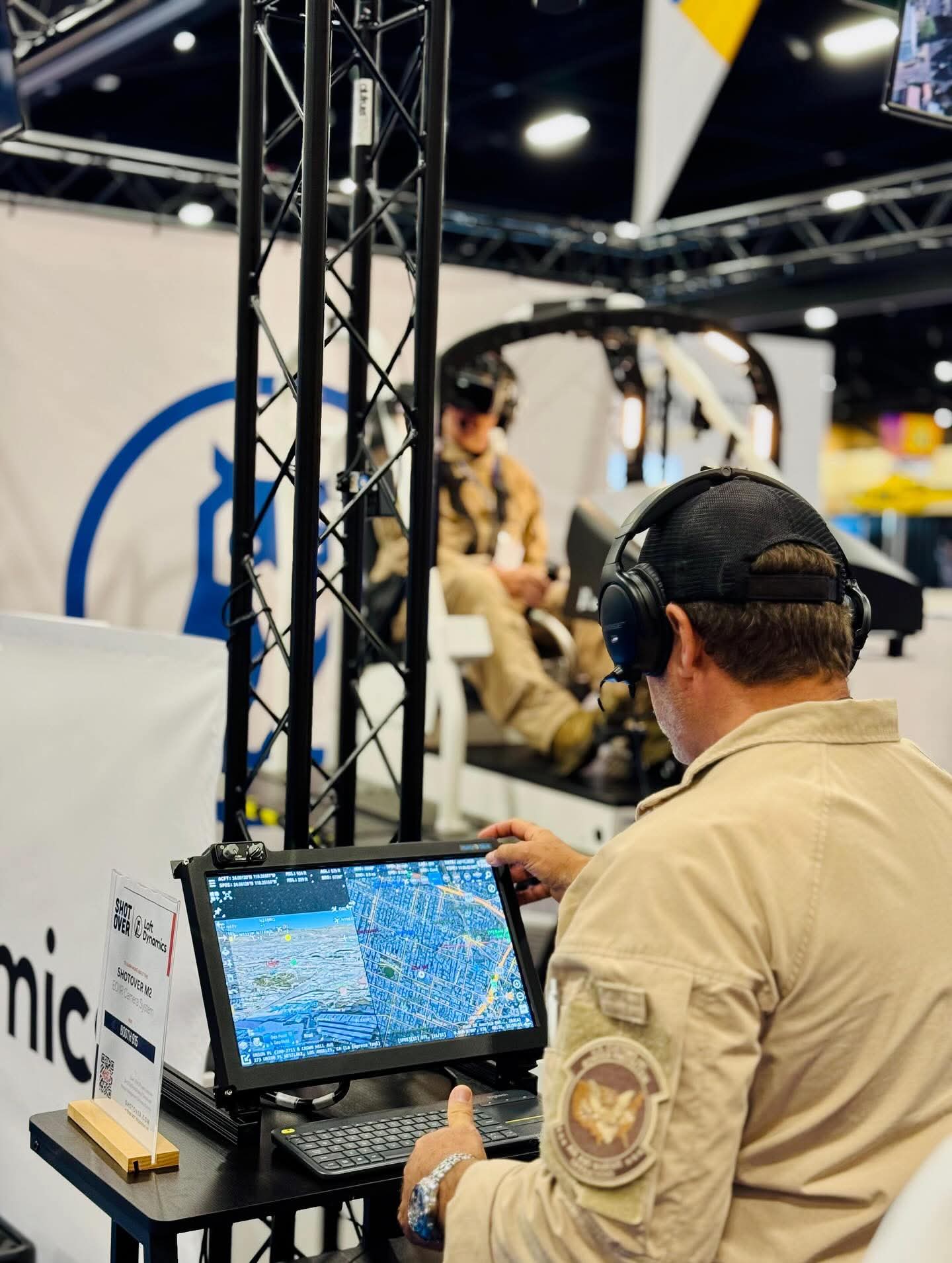
Train with familiar tools
M2 Simulator Highlights
Practice the controls and mission workflows you use in the air, with synthetic imagery providing a repeatable environment on the ground.
Authentic camera operation
Develop familiarity with geohold, automatic video tracking, zoom, focus, and steering modes. The simulator uses shared M2 software, with generated imagery in place of the physical camera feed.
AIRSCAPE mission workflows
Search for addresses, place markers, and work with map layers using the mission management environment operators know from the aircraft.
Train independently
In standalone mode, a simulated pilot responds to where the operator steers the camera, allowing camera and mission-system practice without a second crew member.
Build crew coordination
Connect to a flight simulator to practice pilot and tactical flight officer coordination. Bring camera tasks, aircraft positioning, and crew communication into the same training session.
Review mission footage
Continue working after the flight. Use the ground system to review recorded footage and support operator learning and mission debriefing.
Work with geospatial data
Practice creating mission layers and use the ground system to generate geospatial data, extending its usefulness beyond camera familiarization.
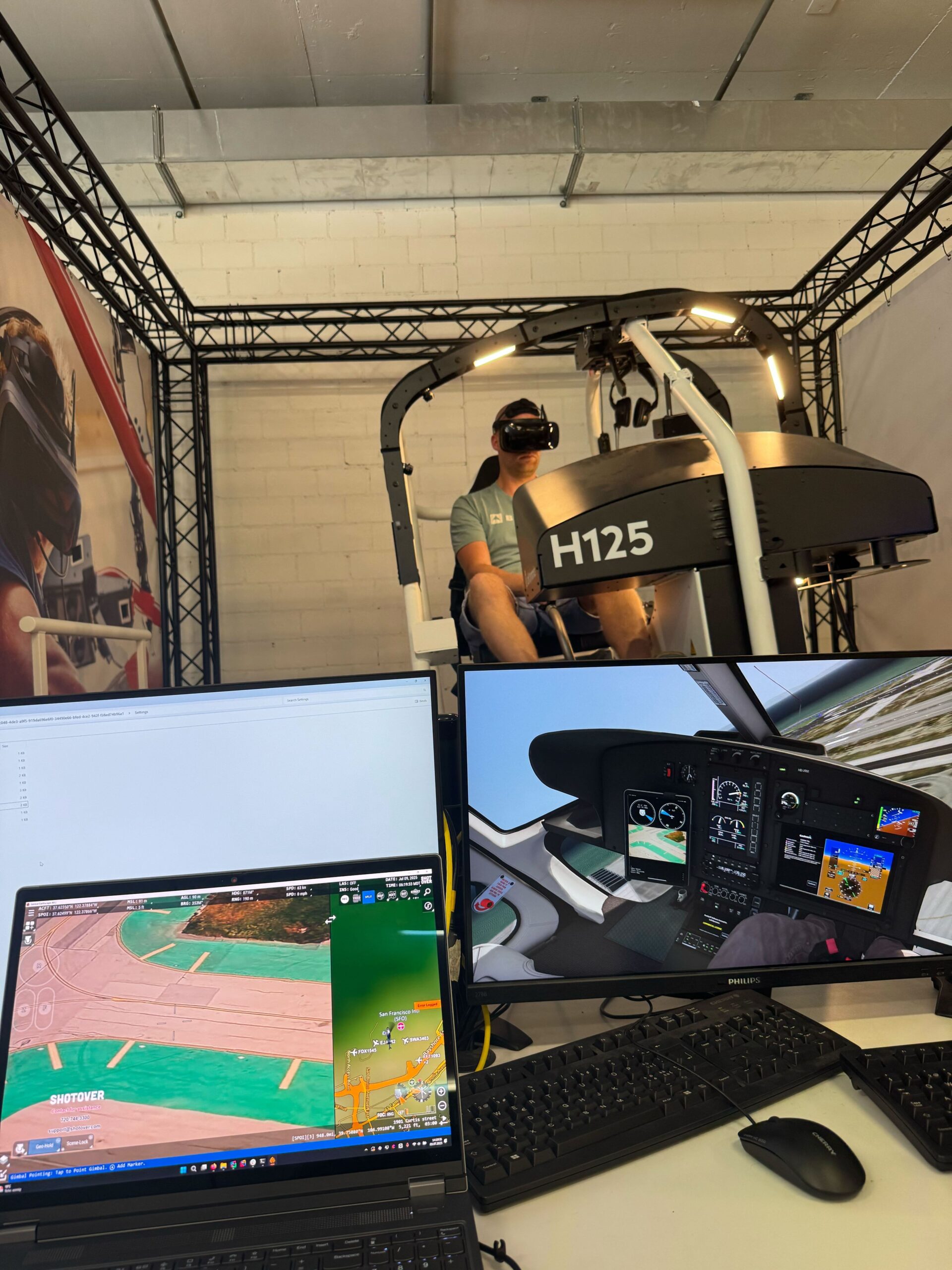
From individual skills to crew training
Bring the Mission
into the Training Room
The camera operator’s workload is part of the mission. Train for it alongside the pilot.
The M2 Simulator can work with a flight simulator, including Microsoft Flight Simulator 2024, to support coordinated crew practice. SHOTOVER has also demonstrated an integration with Loft Dynamics’ H125 simulator.
Operators can practice camera control and AIRSCAPE tasks as part of a shared session, helping crews develop the communication and coordination they need in flight.
Flight simulator hardware and integration are separate from the included M2 simulator. Contact SHOTOVER to discuss compatible configurations and training requirements.
Flexible training
Two Ways to Develop Proficiency
01 / STANDALONE
Focus on the operator
Build camera-control skills and confidence with mission-system tasks at your own pace. The simulated aircraft takes its cues from camera steering, keeping training focused on the operator.
02 / CONNECTED
Train together as a crew
Link the M2 Simulator with a compatible flight simulator to bring pilot and camera operator into a coordinated exercise, practicing how aircraft movement and camera operation work together.
An integral part of the M2 system
Ready Before Takeoff
A simulator is included with the purchase of your first M2 gimbal, giving your team a practical way to develop and maintain proficiency on the ground.
Talk with SHOTOVER about your operator training needs, additional simulator stations, hand-controller options, and flight simulator integration.